
What to Do If OTP Does Not Arrive: 6 Shocking Fix
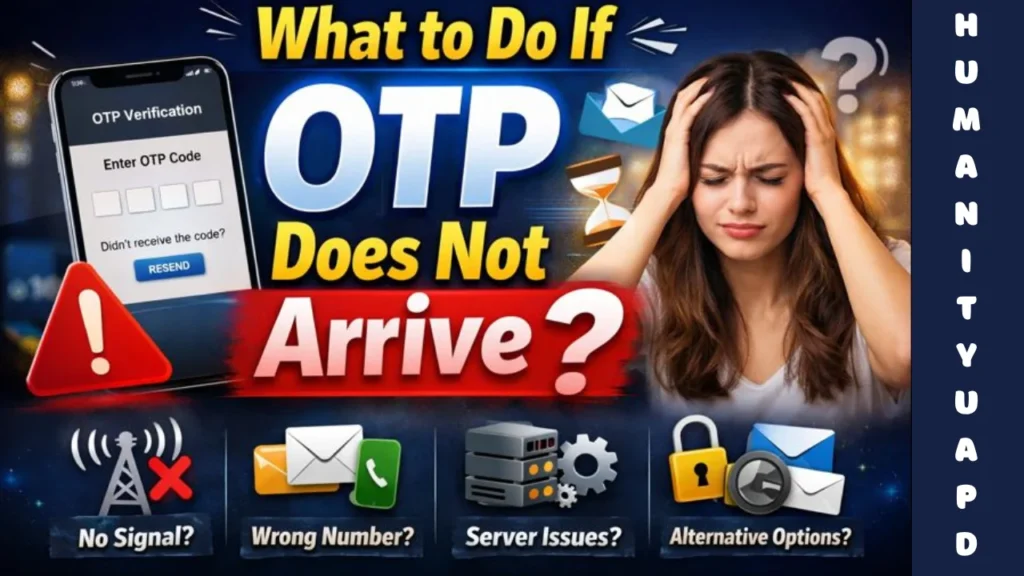
What to Do If OTP Does Not Arrive
One-Time Passwords (OTPs) serve as a pivotal element in modern security protocols, primarily functioning to enhance the security of online transactions and user logins. An OTP is a time-sensitive numeric or alphanumeric code generated for a single session or transaction. Unlike traditional passwords that remain static, an OTP provides a dynamic layer of security, significantly mitigating the risks associated with unauthorized access.
OTP generation commonly involves algorithms that entrench randomness and unpredictability. These codes can be created through various methods, such as Time-based One-Time Passwords (TOTP), which generate codes using the current time as a variable, or HMAC-based One-Time Passwords (HOTP), which utilize a counter for the generation process. This variability ensures that even if an OTP is compromised, it becomes useless after its single-use, bolstering overall security.
Delivery mechanisms for OTPs are typically executed through SMS, email, or dedicated authentication apps. This immediacy in receiving the code is crucial; the faster a user obtains their OTP, the quicker the authentication process can proceed, thereby maintaining a seamless experience. However, reliability is equally important, as delays or failures in OTP delivery can disrupt access and create frustration for users. Factors affecting delivery can include network issues, server delays, or even incorrect contact details entered by the user.
In conclusion, OTPs provide a robust mechanism for enhancing security in digital interactions. Their generation and delivery not only safeguard sensitive information but also form a critical component of two-factor authentication systems, promoting user confidence in secure online environments.
➡️ Table of Contents ⬇️
Common Reasons Why OTPs Fail to Arrive
One of the most frustrating issues users face when expecting an One-Time Password (OTP) is its failure to arrive in a timely manner. Multiple factors contribute to this problem, which can be broadly categorized into technical issues and user errors. Understanding these reasons is crucial for addressing and mitigating any potential delays in receiving OTPs.
Technical difficulties often start with network connectivity. If a user’s device is experiencing poor signal strength or is connected to a Wi-Fi network with intermittent access, it can hinder the delivery of OTPs. Additionally, the server responsible for generating and sending the OTP may experience downtime or become overloaded during peak traffic. Such situations can cause a backlog in the delivery system, delaying the OTP’s arrival.
Another common technical challenge arises from number formatting errors. If a user incorrectly enters their phone number, such as omitting country codes or inadvertently inputting an incorrect area code, the OTP may be dispatched to the wrong recipient, leading to confusion and frustration.
Mobile carriers may also play a role in OTP delivery failures. Network issues such as congestion or system outages at the carrier level can prevent ne messages—including OTPs—from being sent or received. Furthermore, issues related to spam filters and message blocking policies can prevent OTP messages from reaching the intended device.
Aside from technical obstacles, user mistakes can also contribute to this issue. For instance, a user may change their phone number without updating relevant accounts or may have set up two-factor authentication incorrectly. These errors can impede the successful reception of OTPs.
what to do if verification fails repeatedly
Shocking Fix 1: Check Your Network Connectivity
When dealing with the issue of non-receipt of an OTP (One-Time Password), one of the first troubleshooting steps to consider is assessing your network connectivity. A stable and reliable network connection is crucial for timely delivery of OTP messages, which are often sent via SMS or through internet-based applications. If the network connection is weak or unstable, this can cause delays in receiving such important messages.
Begin by checking the signal strength on your mobile device. If you notice that the signal bars are low, it may indicate a poor connection to your carrier. In that case, try moving to an area with better reception, such as nearer to a window or in a less obstructed part of your home or office.
If you are connected to a Wi-Fi network, switching to mobile data might help, and vice versa. Each type of connectivity can influence the speed and reliability of OTP delivery. For example, certain apps or services operate more efficiently on mobile data, while others may be optimized for Wi-Fi usage. Disabling Wi-Fi and switching to mobile data can sometimes resolve issues related to slow or interrupted signal transmission, and it may result in faster otp delivery.
Additionally, restarting your device can often reset network settings and help in re-establishing a stable connection. It is also advisable to check if the Airplane mode is turned off, as this mode will prevent any SMS or data services from being accessible. By ensuring that your network connectivity is solid, you increase the chances of promptly receiving your OTP, facilitating a smoother verification process.

Shocking Fix 2: Verify Your Phone Number
In many cases, the root cause of not receiving a One-Time Password (OTP) is an incorrect phone number associated with your account. Verifying that the phone number linked to your account is accurate is a crucial step in resolving this issue. It is essential to ensure that the number is entered correctly and that there are no typographical errors which could prevent the OTP from being sent.
To verify your phone number, start by navigating to the account settings of the service in question. This section is typically found in the security settings where you can manage your personal information. Once you locate the phone number field, carefully review the number displayed. Make sure that it adheres to the proper format and includes the correct country code. Any mistakes in this stage may result in missed OTPs, leaving you locked out of your account.
If you discover any discrepancies or if you have recently changed your phone number, update the information immediately. After updating the phone number, many organizations will require you to confirm the new number, usually by sending an OTP to it. This step not only ensures that your account security is intact but also helps in safeguarding against possible unauthorized access.
In instances where you have validated your phone number and still do not receive the OTP, consider checking your mobile service provider. Issues related to signal strength, network outages, or even filters in place for spam messages can hinder the receipt of messages. Thus, confirming with your service provider could provide further insight into why your OTPs may not be coming through.
using the same phone number for verification
Shocking Fix 3: Restart Your Device
When faced with the issue of not receiving a One-Time Password (OTP), one of the most effective and immediate solutions is to restart your device. This simple action can resolve a multitude of technical glitches that may be hindering the reception of your OTP. Devices, whether they are smartphones, tablets, or computers, can suffer from minor software hiccups or temporary malfunctions that may interfere with the normal flow of messages. Restarting your device can often clear out any lingering issues and restore functionality.
Another significant benefit of a restart is that it closes down all applications and processes running in the background. Background applications can consume valuable resources, which, in turn, may delay the delivery of critical messages, such as OTPs. By restarting your device, you provide it the opportunity to refresh its system state, thereby enhancing performance and eliminating any interference caused by other applications.
To perform a restart, the process may vary slightly depending on the device type. For most smartphones, you would typically hold down the power button until the power options appear on the screen, followed by selecting the ‘Restart’ or ‘Reboot’ option. In the case of computers, clicking on the Start menu and selecting ‘Restart’ will suffice. After the device has rebooted, wait a moment and then attempt to request the OTP again.
Many users have found that a simple restart can rectify the inability to receive OTPs. Therefore, it is often recommended as an initial troubleshooting step. Following this methodical approach may provide the relief needed to access services that require OTP verification without further complications.
Shocking Fix 4: Clear Your Messaging App Cache
One of the less recognized yet impactful issues that can affect the performance of messaging applications is the accumulation of cache. Over time, app data can clog up the system, leading to slowdowns, delayed notifications, and sometimes even preventing important messages such as One-Time Passwords (OTPs) from reaching you. Therefore, clearing your messaging app’s cache can significantly enhance its efficiency and reliability, especially when expecting critical notifications.
To clear the cache for popular messaging apps, you can follow these straightforward steps:
- For Android users:
- Open the Settings app and navigate to Apps.
- Locate the messaging app you are using, such as WhatsApp or Telegram.
- Tap on Storage and select Clear Cache. This action will remove temporary data that may be causing issues.
- For iOS users:
- Unfortunately, iOS does not provide a direct option to clear app cache. Instead, you can try uninstalling the messaging app and reinstalling it. This process effectively clears the cache.
After performing these steps, you should notice a marked improvement in the performance of your messaging app. A cleaner cache allows the app to operate more efficiently, thus enhancing its ability to receive OTPs and other important messages in a timely manner. In addition, clearing the cache can help resolve various bugs or glitches related to missing notifications. If you continue to experience issues after clearing the cache, consider exploring other solutions or contacting your service provider for assistance.
Shocking Fix 5: Contact Your Mobile Carrier
If you are facing issues with receiving One-Time Passwords (OTPs), your mobile carrier may be a significant factor contributing to the problem. Various aspects of the carrier’s service can impact the deliverability of these SMS texts. Therefore, reaching out to your mobile carrier is an essential step to troubleshoot this issue.
The first actionable step is to inquire about any existing service outages or disruptions in your area. Network issues can lead to delays or complete failures in message delivery, which might explain why your OTP has not arrived. Carriers often provide updates on service status, and they may even be aware of specific problems affecting OTP messages.
Another crucial inquiry involves checking your account settings. Some carriers have settings that can block certain types of messages, including those from unknown senders, which could prevent your OTP from arriving. Make sure to ask your carrier if such settings are enabled and, if they are, request assistance in modifying them so that OTPs can come through.
Furthermore, verify that your phone has sufficient network signal strength. If you are in an area with poor reception, this can severely impact your ability to receive text messages in a timely manner. If signal issues persist, your carrier could provide solutions such as troubleshooting tips or alternative options like using Wi-Fi calling.
It can also be beneficial to confirm that your phone number is properly registered with the services from which you are trying to obtain OTPs. As a last resort, if no obvious issues are identified, consider asking your mobile carrier whether they can escalate the matter, especially if this OTP delivery issue is recurrent. By following these actionable steps, engaging with your mobile carrier could potentially resolve your OTP delivery problems.
manual verification when online methods fail

Shocking Fix 6: Use an Alternative Method for Receiving OTPs
One of the most effective solutions to the problem of a non-arriving One-Time Password (OTP) is to utilize alternative methods for receiving these critical codes. Two prominent alternatives are email OTPs and authenticator applications. These methods not only enhance the reliability of OTP receipt but also significantly boost security.
Email OTPs provide a convenient and often faster delivery method. Many online services offer the option to send OTPs directly to your registered email address. This can be particularly advantageous in scenarios where cellular network issues interrupt SMS delivery. By checking your email, you may find the OTP available almost immediately, providing a seamless access experience.
On the other hand, authenticator apps such as Google Authenticator or Authy are increasingly popular due to the added security they offer. These applications generate OTPs on your device, independent of network connectivity. This means that even in areas with poor cellular service, you can still access your codes. Additionally, since these codes are generated locally on your smartphone, they are less susceptible to interception compared to SMS-based OTPs.
Security is a primary concern when discussing OTP methods. Both email options and authenticator apps can provide robust security features. Many services enhance email security through encryption and two-factor authentication, making unauthorized access difficult. Similarly, authenticator apps often use a Time-based One-Time Password (TOTP) algorithm, which limits the usable duration of each code, further safeguarding against potential threats.
Incorporating these alternative methods for receiving OTPs can greatly enhance your security posture while ensuring that you have consistent access to the codes you require. By switching to email or utilizing an authenticator app, users can mitigate the frustration of missing OTPs and improve their overall online experience.
different ways to complete verification securely
FAQs: What to Do If OTP Does Not Arrive
As users increasingly rely on One-Time Passwords (OTPs) for authentication, it is natural to have questions about their functionality, security, and possible issues related to receiving them. Below are some frequently asked questions concerning OTPs and the solutions to common problems associated with their reception.
Why didn’t I receive my OTP?
There are several reasons why an OTP might not arrive. Firstly, it could be due to network issues, where the mobile device is unable to receive messages in areas with poor signal strength. Secondly, the delay could arise from the service provider’s server being temporarily overwhelmed or experiencing technical difficulties. Lastly, ensure that the number you have provided to receive OTPs is correct and operational.
How secure are OTPs?
OTPs are generally considered a secure method of authentication. They are time-sensitive and valid for only a short duration, making it difficult for unauthorized users to gain access. However, security can be compromised if users disclose their OTPs via phishing attempts or if their devices are compromised.
What should I do if I continue to not receive OTP messages?
If you find yourself continually missing OTP messages, you may want to check with your mobile carrier for potential network blocks or issues. Additionally, ensure your messaging applications have the necessary permissions to receive texts. Alternatively, consider using an authentication app that generates OTPs without relying on SMS, providing a potentially more reliable form of authentication.
Are there alternatives to OTPs for authentication?
Yes, various alternatives exist, such as biometric authentication methods (fingerprint or facial recognition) and authenticator applications that generate time-based codes. These options can enhance security while mitigating issues associated with SMS delivery.
Addressing these FAQs can assist users in navigating the complexities surrounding OTP usage effectively. Understanding these essential aspects can help ensure a smoother authentication process, enhancing both security and user experience.

Share this:

Discover more from HUMANITYUAPD
Subscribe to get the latest posts sent to your email.